Pedantic Picture Packer - Image Compression for Thunderbird
General
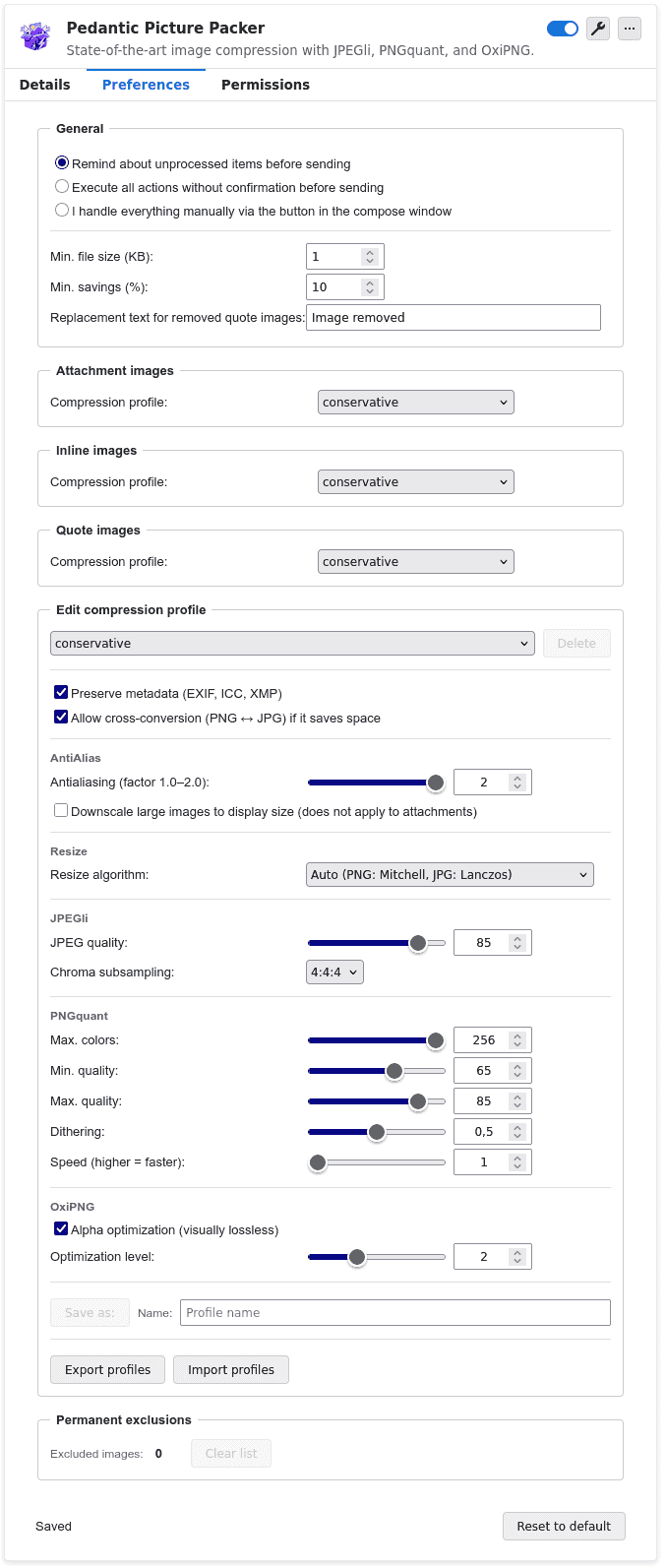
- Thunderbird add-on for image compression in emails (attachments + inline images)
- Runs locally via WebAssembly → images never leave your device
- Open source, available for Thunderbird 115+
- Supports 9 languages
Technology / Highlights
- State-of-the-art algorithms
- PNG pipeline:
- pngquant: state-of-the-art algorithm for visually lossless palette reduction
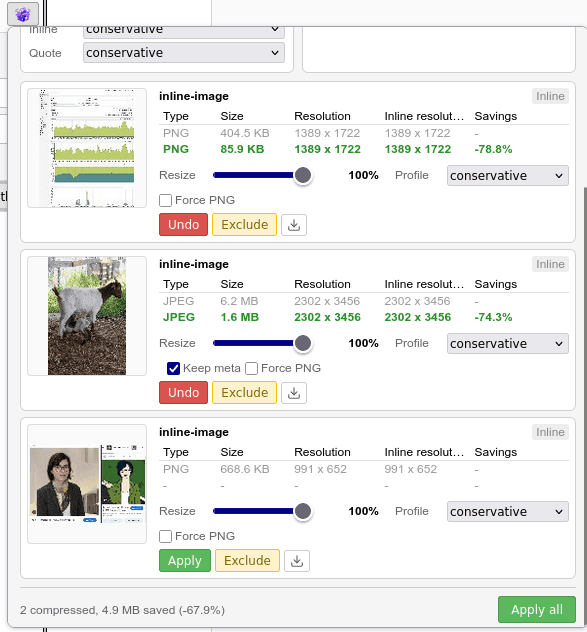
- followed by oxipng: heuristically optimal PNG compression → major savings for screenshots
- JPEG:
- Compression with JPEGli, saves ~30% compared to other JPEG encoders like Thunderbird’s built-in MozJPEG
- Automatic optimizations:
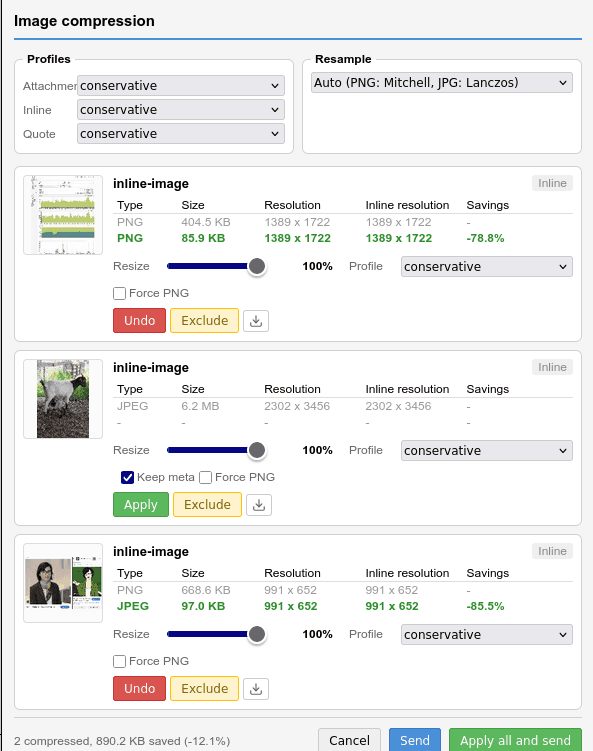
- Converts PNG → JPG if smaller
- Resizes to match HTML inline dimensions
- Format-specific resize algorithms:
- PNG: Mitchell
- JPEG: Lanczos
Core Features
- Compresses PNG & JPEG without visible quality loss
- Removes images from quoted emails (optionally completely or replaced with placeholders)
- Automatically removes tracking pixels
- Quick menu per email with flexible actions
- Settings can be saved or executed instantly
- Images can be excluded from future compression (e.g. signatures)
Workflow & Usability
- Compression templates:
- Create, import, export
- Automatically applied based on image type (attachments, inline, quoted)
- Repeat actions freely (compress, undo, refine templates)
- Download optimized images for external use (e.g. websites)
- Removes unnecessary images first → saves processing time
- Prevents double compression of already processed files
- Keeps original if compression results in a larger file
Send Modes
- Default: reminder before sending
- Automatic: executes all actions on send
- Manual: only runs when triggered via button
Metadata Handling
- Preserves EXIF, ICC, XMP, etc.
- Extracted before compression and re-injected afterward
Advantages over Classic Resizers
- No reliance on resolution reduction
- Saves 70–80% space even without resizing
- Especially effective for screenshots
- Avoids inefficiencies (e.g. larger files after scaling)
Summary
- Focus on maximum compression, full control, and workflow optimization
- Significantly more powerful than traditional image resizers
- Suitable for email workflows and general image optimization