




There are several add-ons for Thunderbird that reduce the size of attached images. None of them met my requirements—at all.
This add-on integrates state-of-the-art open-source image compression tools as WebAssembly libraries. It tests each image both as JPEG using jpegli and as PNG using pngquant followed by oxipng compression, and keeps the smallest resulting file. The user defines the desired quality level via compression templates, while the add-on handles reducing file size to the technically minimal achievable level while respecting the given quality constraints.
When images are resized, high-quality downscaling algorithms are used, which produce significantly better results than the commonly used browser-native algorithms.
Here it is: probably the best image compression add-on for Thunderbird.
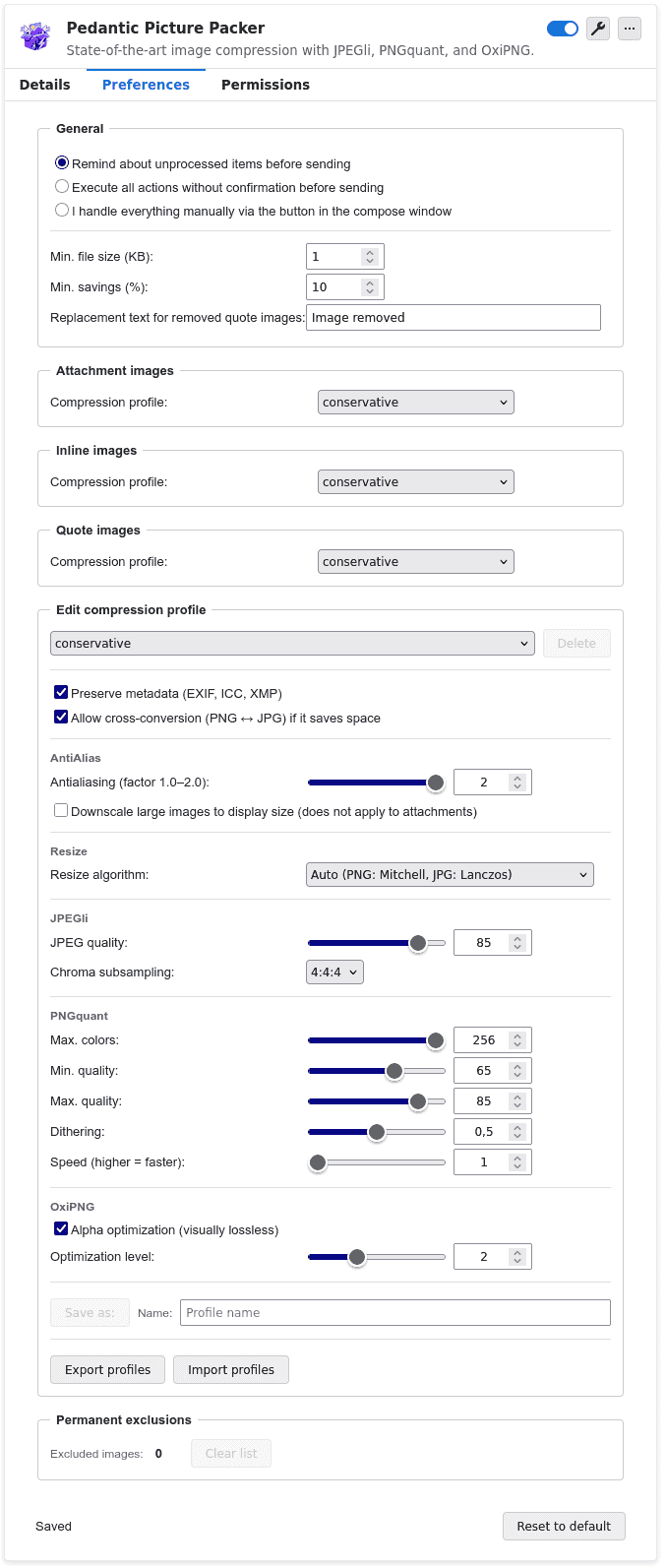
- State-of-the-art compression algorithms such as JPEGli, pngquant, and oxipng, integrated as WASM libraries
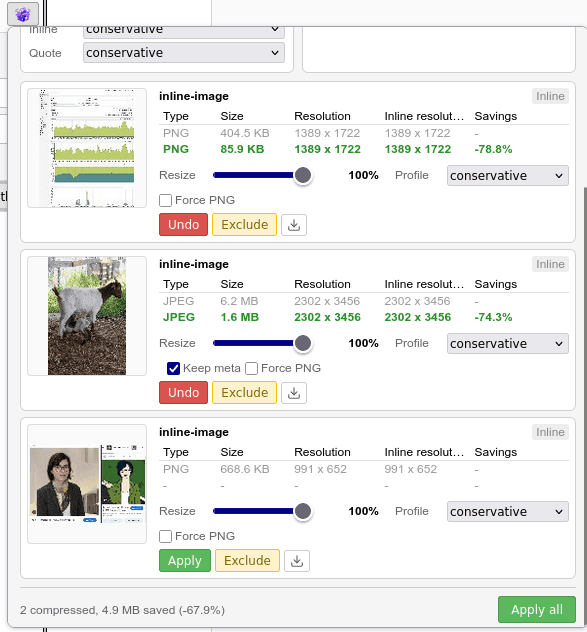
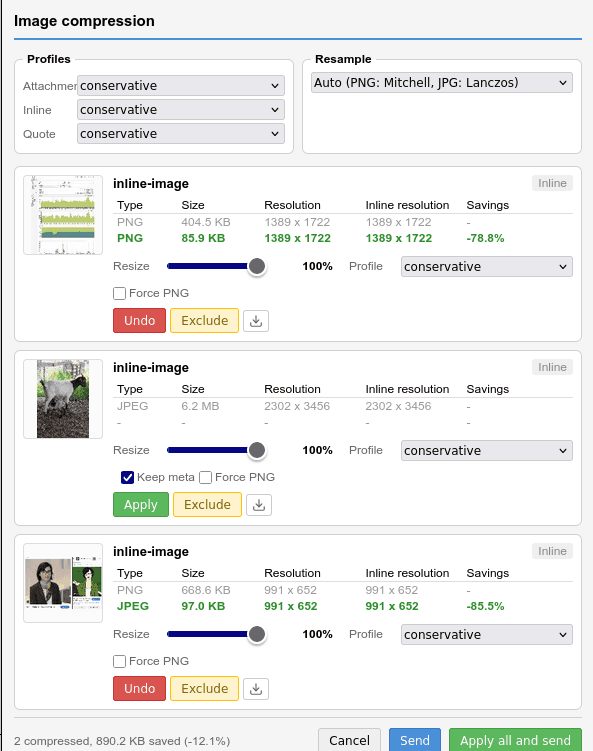
- Saves 70–80% of storage space, even without optional resizing
- Converts PNG files to JPG when doing so saves space
- Compresses images in LibreOffice and Microsoft Office documents, as well as in PDF files [sic!]
- Resizes images to their HTML inline dimensions
- Uses different resizing algorithms, optimized for PNGs (Mitchell) or typical JPG images (Lanczos)
- Create, import, and export compression profiles, then automatically apply them to specific image types (quoted images, inline images, or attachments)—or apply them manually to individual images
- Compress, undo, redo, and adjust templates—improve your own workflow and deepen your understanding of image compression through direct comparisons
- Remove images from quoted content entirely
- Permanently exclude images from the workflow—for example, your own email signature
- Download compressed images directly from the application. This lets you build other compression workflows around the add-on that are unrelated to email—for example, website optimization
- Available in 9 languages
Direct downlod: pedantic-picture-packer.xpi
Sourcecode: ppp-sourcen.7z